How to Build a Strong UI/UX Portfolio
A UI/UX designer’s portfolio is their most valuable asset. Whether you're looking for freelance work, a full-time job, or just recognition in the design community, your portfolio proves your skills, thought process, and problem-solving abilities.
But what if you don’t have real-world projects from clients? Can you still create a high-impact UI/UX portfolio? Absolutely!
This guide will walk you through building a compelling UI/UX portfolio—even if you're just starting out—with real-world case study ideas, project structuring techniques, and expert tips to attract recruiters, clients, and design enthusiasts.
1. The Core Elements of a Winning UI/UX Portfolio
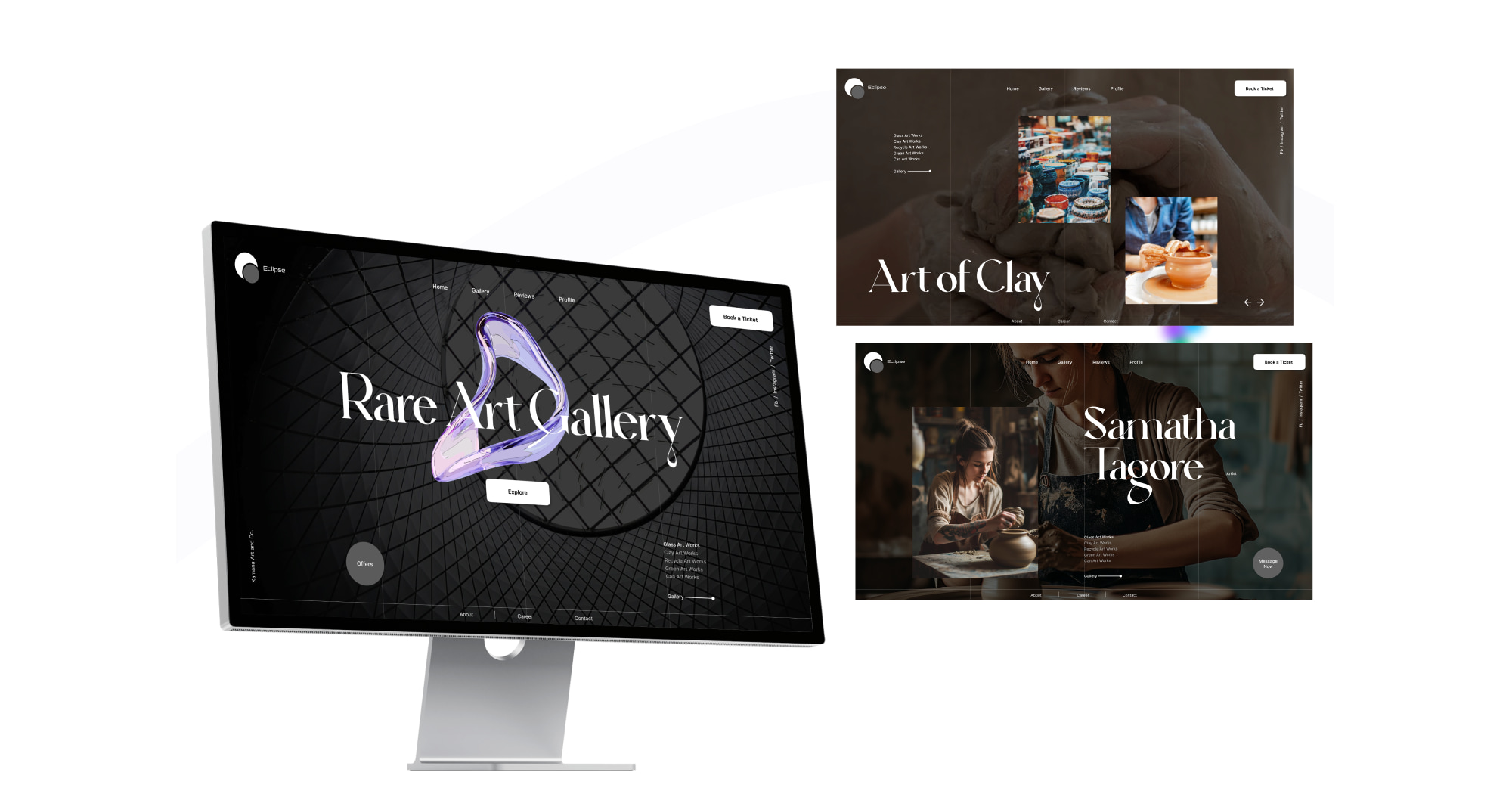
Before diving into how to create portfolio-worthy projects, let’s break down the must-have elements of a strong UI/UX portfolio:
— Homepage (Introduction & Personal Branding)
— 3-5 High-Quality Case Studies (Not Just UI Screenshots!)
— Process Walkthrough (Research, Wireframes, Testing, UI Design, etc.)
— Before & After Comparisons (Show How You Improved UX/UI)
— Interactive Prototypes (Figma, Framer, Adobe XD, etc.)
— About Page (Highlight Your Unique Approach)
— Contact & Social Proof (LinkedIn, Dribbble, Behance, etc.)Now, let's explore how to create impressive projects without client work.
2. Portfolio-Worthy Projects You Can Do Without Clients
A. Redesign Existing Products (UX Case Study Approach)
One of the best ways to showcase your skills is by picking a well-known app or website and improving its UX. Recruiters love seeing how you analyze problems and create solutions.
Steps to Follow:
1. Choose an app/website with usability issues (e.g., a government website, old e-commerce platform, or a confusing booking system).
2. Analyze pain points (Use heuristic evaluations, user feedback, or personal experience).
3. Create wireframes & user flows to show improvements.
4. Design a modern UI while keeping usability in mind.
5. Write a case study explaining your research, process, and final designs.
— Example: "Redesigning the UI/UX of Airbnb’s Booking Flow to Reduce Drop-offs"
B. Solve Real-World UX Problems (Self-Initiated Case Study)
Find everyday UX challenges and create a problem-solving UI/UX project.
Examples:
Improve the UX of a local ride-sharing app.
Design a grocery shopping app for elderly users.
Create a case study on improving accessibility for a government website.
C. Participate in UI/UX Challenges (Dribbble, Behance, UX Competitions)
Platforms like Daily UI, UX Challenges, and hackathons give you realistic briefs that mimic client projects.
D. Design a Concept Product (Passion Project)
Create a fictional product that solves a real-world problem.
— Example: A mental health app for Gen Z, an AI-powered travel planner, or a productivity dashboard.
Pro Tip: Make sure every project includes UX research, user personas, wireframes, UI design, and usability testing insights.
3. Writing a Case Study That Stands Out
A strong case study is not just about pretty visuals—it should demonstrate your design thinking. Follow this structure:
1. The Problem Statement
- What problem are you solving?
- Why is this problem important?
2. Research & User Insights
- Competitive analysis & user feedback
- User personas & empathy mapping
3. Wireframes & User Flows
- How does the user navigate through the experience?
- Include wireframes/sketches.
4. Visual Design & UI Decisions
- Colors, typography, branding choices
- Accessibility considerations
5. Usability Testing & Improvements
- What worked? What needed iteration?
- Include before & after screenshots.
6. Final Outcome & Key Takeaways
- What did you learn?
- Link to interactive prototype (Figma, Framer, etc.)
4. Best Platforms to Showcase Your UI/UX Portfolio
Personal Website (Best for Branding) – Use Webflow, Framer, or WordPress.
Dribbble & Behance (Best for UI Showcases)
Medium (Best for UX Case Studies & Blogs)
LinkedIn (Best for Professional Networking & Visibility)
GitHub (Best for Developers in UI/UX)
Pro Tip: If you don’t have coding skills, use Notion, Framer, or Wix to build your portfolio quickly.
5. SEO Tips to Get Discovered by Recruiters & Clients
A. Optimize Your Portfolio for Google Search
— Use SEO-friendly keywords in project titles & descriptions (e.g., "Redesigning Airbnb’s UX for Better Conversions").
— Add meta descriptions and alt-text in images.
— Get backlinks from LinkedIn, Medium, and design communities.
B. Use LinkedIn to Rank Higher in Search
— Add "UI/UX Designer" + relevant skills in your LinkedIn headline.
— Post UI/UX case studies with problem-solving insights.
— Engage in UI/UX discussions & share design insights.
Final Thoughts: Take Action & Start Now!
Even without clients, you can create a UI/UX portfolio that stands out by showcasing problem-solving skills, design thinking, and practical projects.
Actionable Steps:
— Choose 3 case study projects from the list above.
— Follow the case study structure to document your process.
— Upload projects to a personal website, Behance, and Dribbble.
— Optimize your LinkedIn & SEO to attract job opportunities.
— Keep improving—UI/UX is a journey, not a destination!
Need inspiration? Check out top UI/UX designers on Dribbble & Behance and start crafting your unique design story!.